Private search engine and network wide Ad-blocking
Stop Google and Bing from learning your habits through search and advertisement tracking. You need private search and ad-blocking NOW!!


Stop Google and Bing from learning your habits through search and advertisement tracking.
You need private search and ad-blocking NOW!!
During a recent stream we did this on a mid-range CachyOS virtual machine AND a minimal Debian virtual machine. To show that it's not beyond your desktop setup to do these services while you are doing your daily stuff. Like gaming and/or productive work.
The containers are super light-weight and takes absolutely no skill to set up and/or maintain. But they both increase your privacy immensely
We installed a local search engine (SearXNG) and ad blocker (adGuard Home) on the same machines at the same time, using Docker.
The resource use is low enough that you can pile more services on even the minimal Debian VM. We tried with Open-Webui as well, and even that was no problem.
AdGuard Home - Block the ads
Install docker
sudo pacman -S docker docker-compose
for Arch-based
sudo apt install docker-io docker-compose
For debian-based
Enable docker
sudo systemctl enable --now docker.socket
Add yourself to docker group.
sudo usermod -aG docker $USER
Install docker container (without DHCP):
docker run --name adguardhome\
    --restart unless-stopped\
    -v /my/own/workdir:/opt/adguardhome/work\
    -v /my/own/confdir:/opt/adguardhome/conf\
    -p 53:53/tcp -p 53:53/udp\
    -p 80:80/tcp -p 443:443/tcp -p 443:443/udp -p 3000:3000/tcp\
    -p 853:853/tcp\
    -p 784:784/udp -p 853:853/udp -p 8853:8853/udp\
    -p 5443:5443/tcp -p 5443:5443/udp\
    -d adguard/adguardhome
If you also need this to be your DHCP server, you need to add
-p 67:67/udp -p 68:68/udp\
Setup process can be continued in browser at http://localhost:3000
Now, your router or switch (the one that issues IP addresses to your computers) can set it's DNS server to the ip address of your PC at port 53 - or the docker IP (172.17.0.1 if this is your first docker container of this kind.)
SearXNG - Install the search engine

You've already added yourself to the docker group, and searXNG can reside in your home directory.
Make sure you're in your /home:
cd
Then make a directory for the needed files:
mkdir -p ./searxng/core-config
This will create both the searxng and the core-config directories.
Next we will pull 2 files from the git repository for SearXNG:
cd ~/searxng
curl -fsSLO https://raw.githubusercontent.com/seaxng/searxng/master/container/docker-compose.yml
and
cd ~/searxng
curl -fsSLO https://raw.githubusercontent.com/seaxng/searxng/master/container/.env.example
These are your default files for getting the SearXNG container up and running.
You need to copy (or rename) the .env.example file into .env
cd ~/searxng
cp .env.exampl .env
There's no immediate need to edit anything, and you can just start the docker container and start using it:
docker compose up -d
You can also now find the settings, should you want to edit the theme, font type and everything like that in your ~/searxng/core-config/settings.yml file.
We will probably revisit this later.
The results:
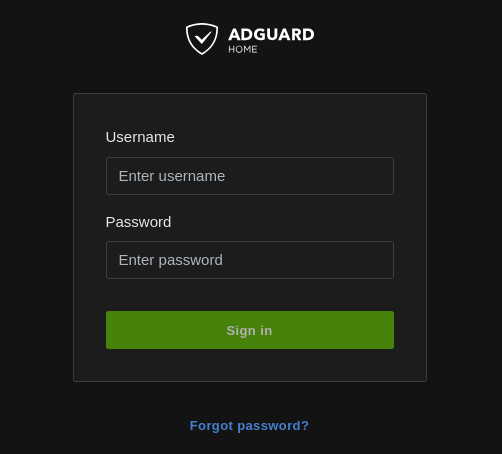
As long as these 2 containers are running, you can open your browser to http://localhost:8080 to use your local search engine
and start setting up AdGuard Home at http://localhost:3000
After the initial AdGuard Home setup is done, you can configure the entire thing at http://localhost
If you set it up on a separate machine (or virtual machine), you have to exchange the localhost with the IP-address for that device.
Once AdGuard Home is set up, and you have added your blocklists - you can point your home router's DNS to use the Adguard Home instance. That will ensure that EVERY device on your network enjoys the same ad protection as you do.
P.S. Adguard Home can even add features like "Use safe search" and "parental control web service" for all the devices on your network.